
Tips / Pencil marks (candidates)
Pencil marks (candidates)
Candidates are simply the digits that could still fit in an empty cell.
Writing them down is like leaving yourself a tiny note—so your brain can focus on reasoning instead of memorizing.
1. Why pencil marks matter
In harder puzzles, most progress comes from the same kind of step: removing impossible candidates.
The more complete your candidates are, the easier it is to spot the next move.
Also, don’t worry about “maintaining” them: when you place a final number (outside Note mode), the app will automatically:
- clear notes in that filled cell
- remove the same digit from notes in the cell’s row/column/box
So you can focus on reasoning, not on erasing.
2. How to write candidates in this app
Tap the Note button at the bottom to turn on Note mode.
In Note mode, any number you enter becomes a small candidate mark:
- the “Note” button is highlighted
- a pencil icon appears at the top-center, reminding you you’re in Note mode
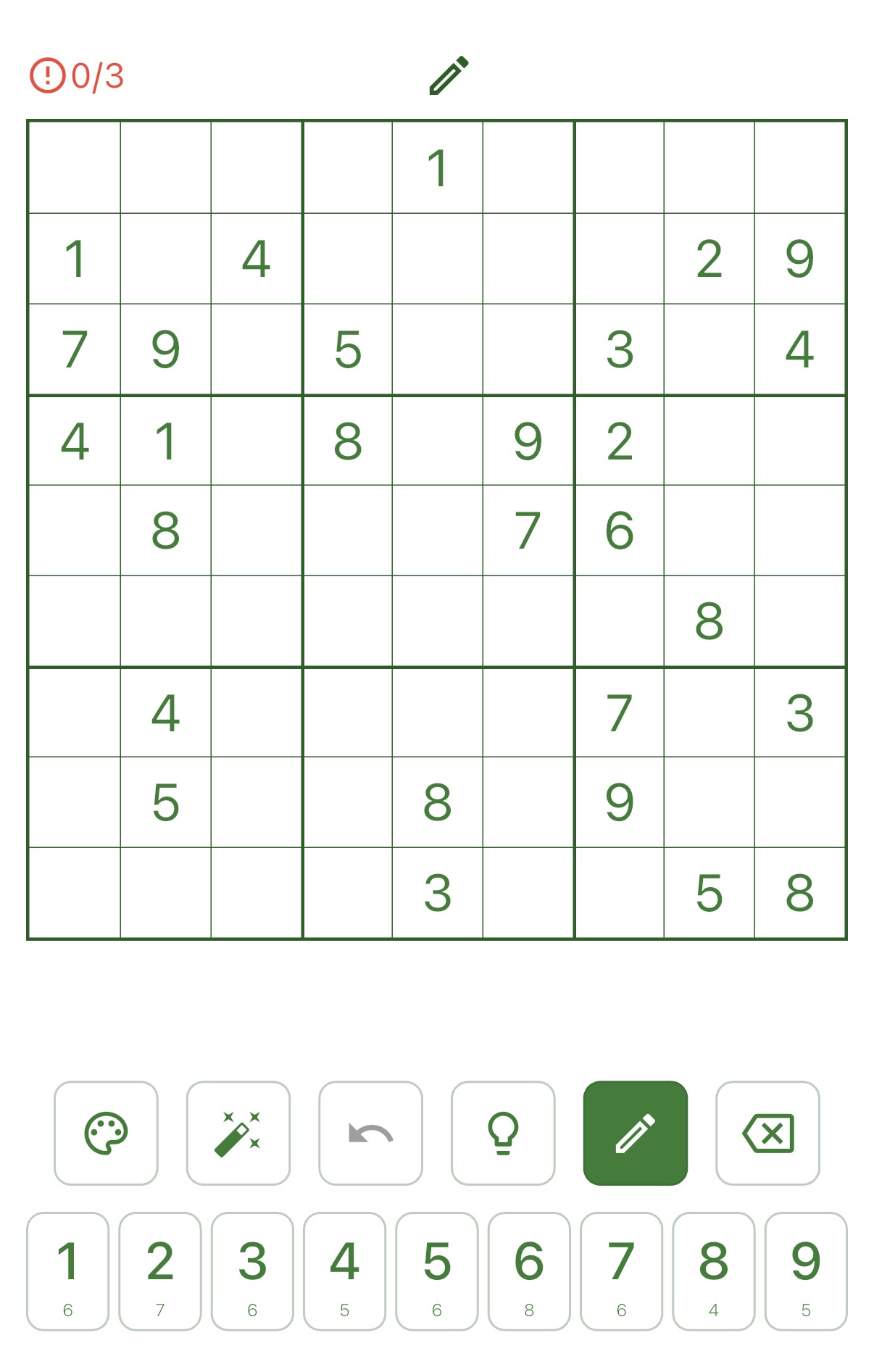
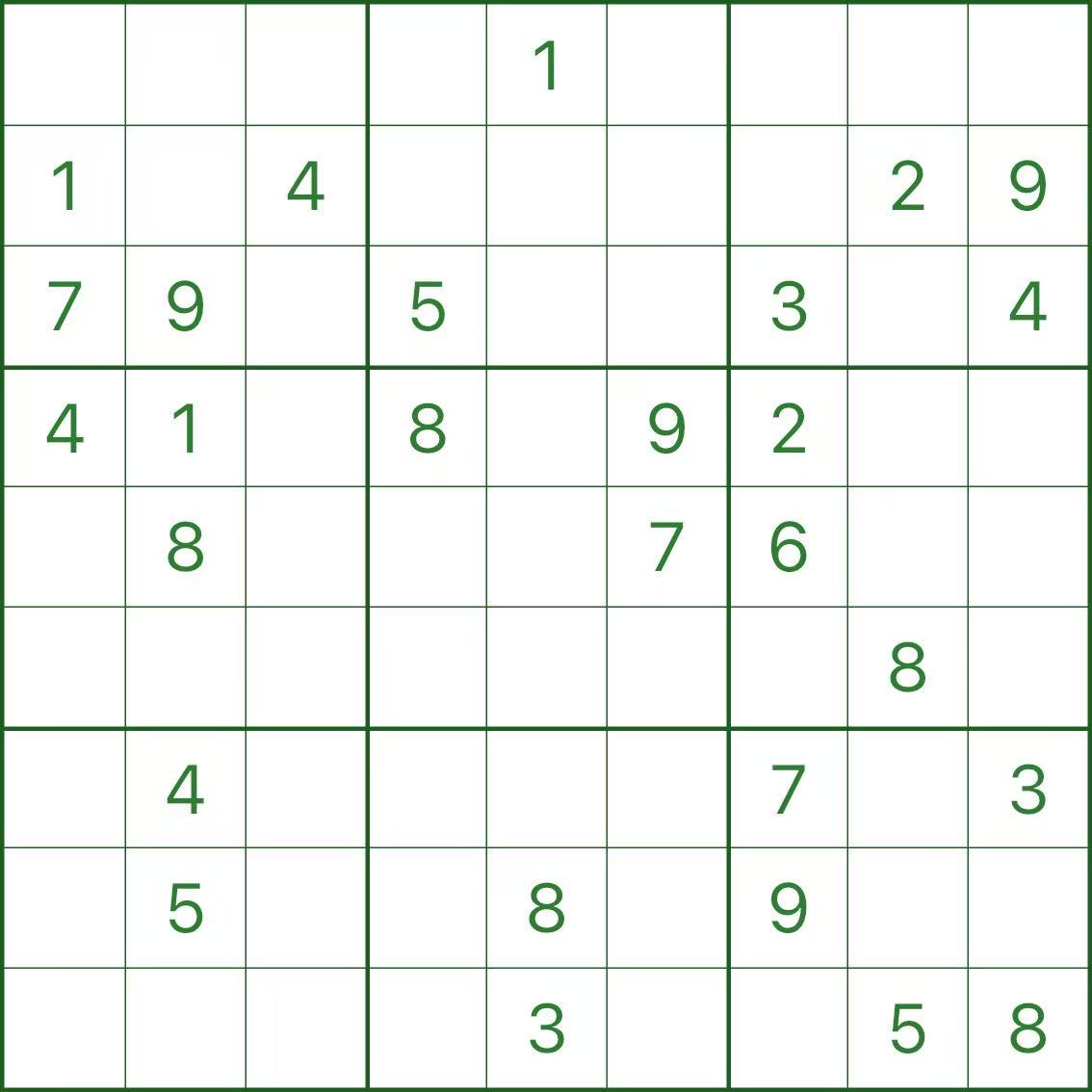
3. A quick example: complete candidates make things obvious
When candidates are missing, the board simply doesn’t show enough information to reason comfortably.
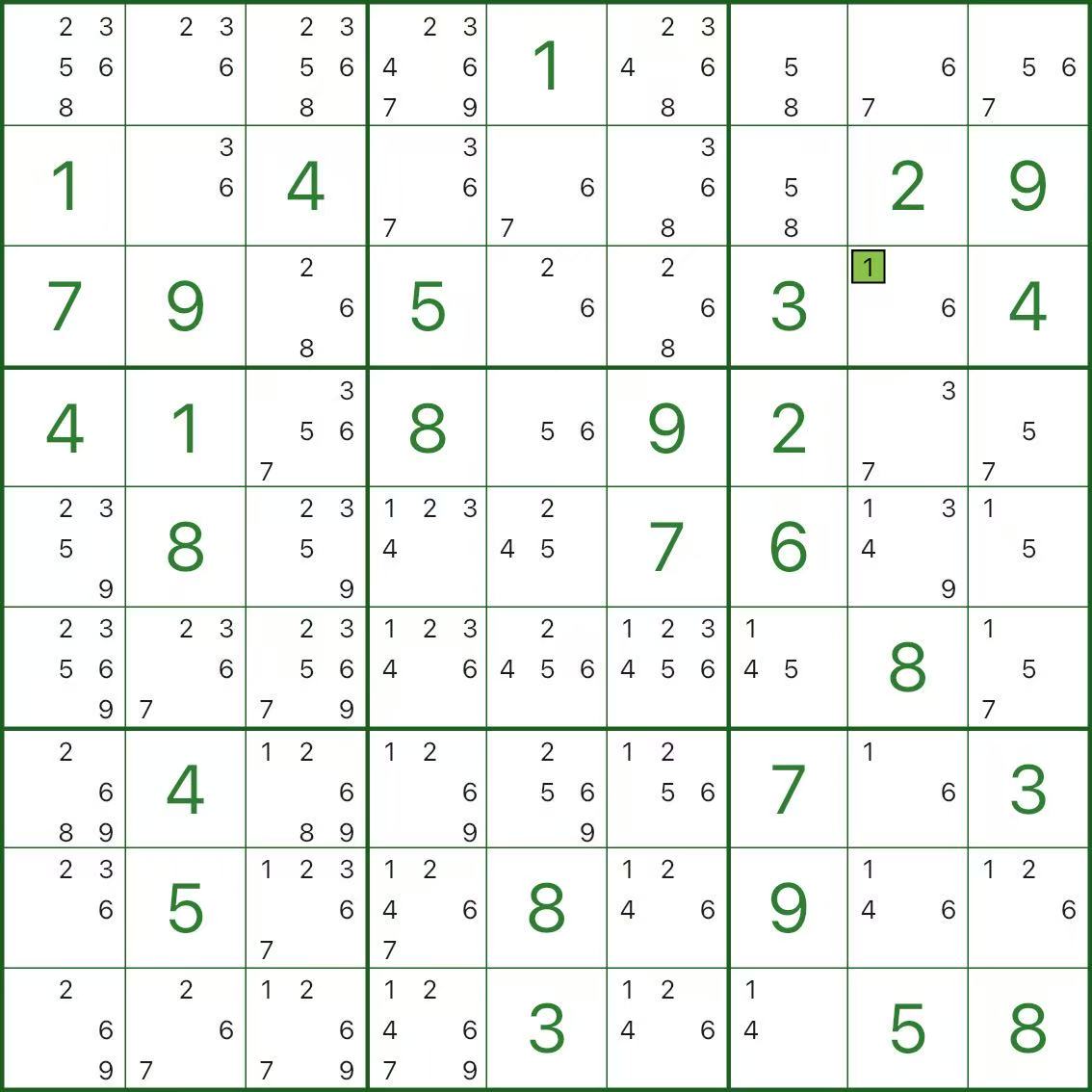
Once candidates are filled in, “uniqueness” often becomes visible by itself.
In the image below, the green-highlighted r3c8 is the only place where digit 1 can go in both row 3 and box 3.
So r3c8 isn’t “it can be 1”—it must be 1.
4. A gentle way to start
- No pressure: start with one box, or one row/column—wherever you feel stuck
- Don’t guess: cross out digits already present in the row/column/box, and write what remains as candidates
- For advanced techniques (and advanced hints), it’s best to keep candidates complete (the app will prompt you when needed)
- Before looking for complex patterns, first check: “one candidate left in a cell”, or “only one place for a digit in a unit”